Start here — who this guide is for
If you’re responsible for day-to-day safety, evidence capture, or uptime across mixed fleets, this guide speaks directly to you: fleet managers, safety leads, and installers who need fast, usable answers. I’ll focus on what you actually do—choose, install, and operate 3-channel dashcams so they solve problems rather than create them. If your operation includes complex operations like oil and gas fleet management, or you expect to tie camera feeds into broader telematics, the advice below will help; many teams operating in the Permian Basin rely on similar setups for visibility. For integration notes, here’s a practical reference for an oil and gas vehicle tracking system that pairs with camera data.
What “3-channel” actually solves for you
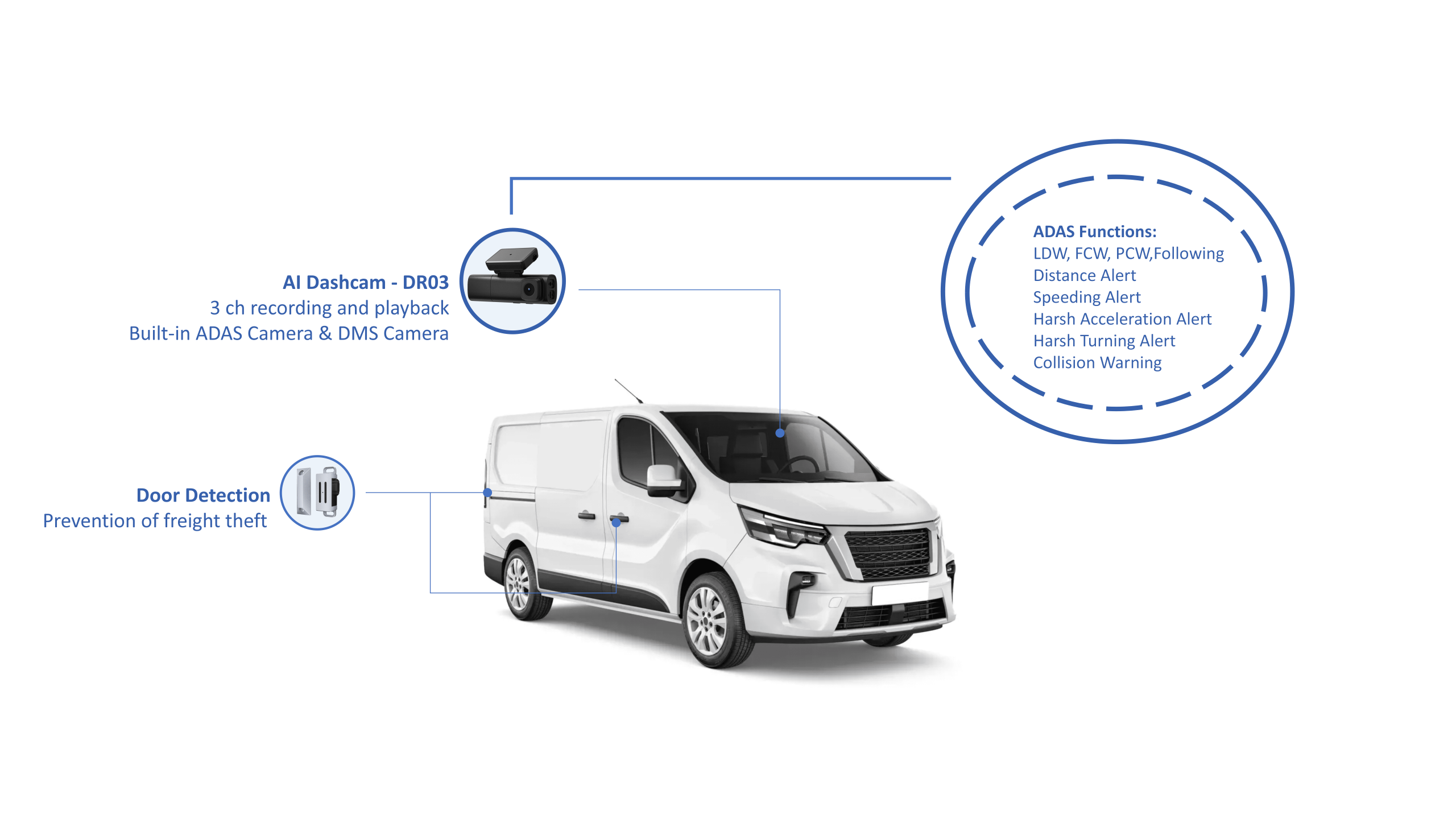
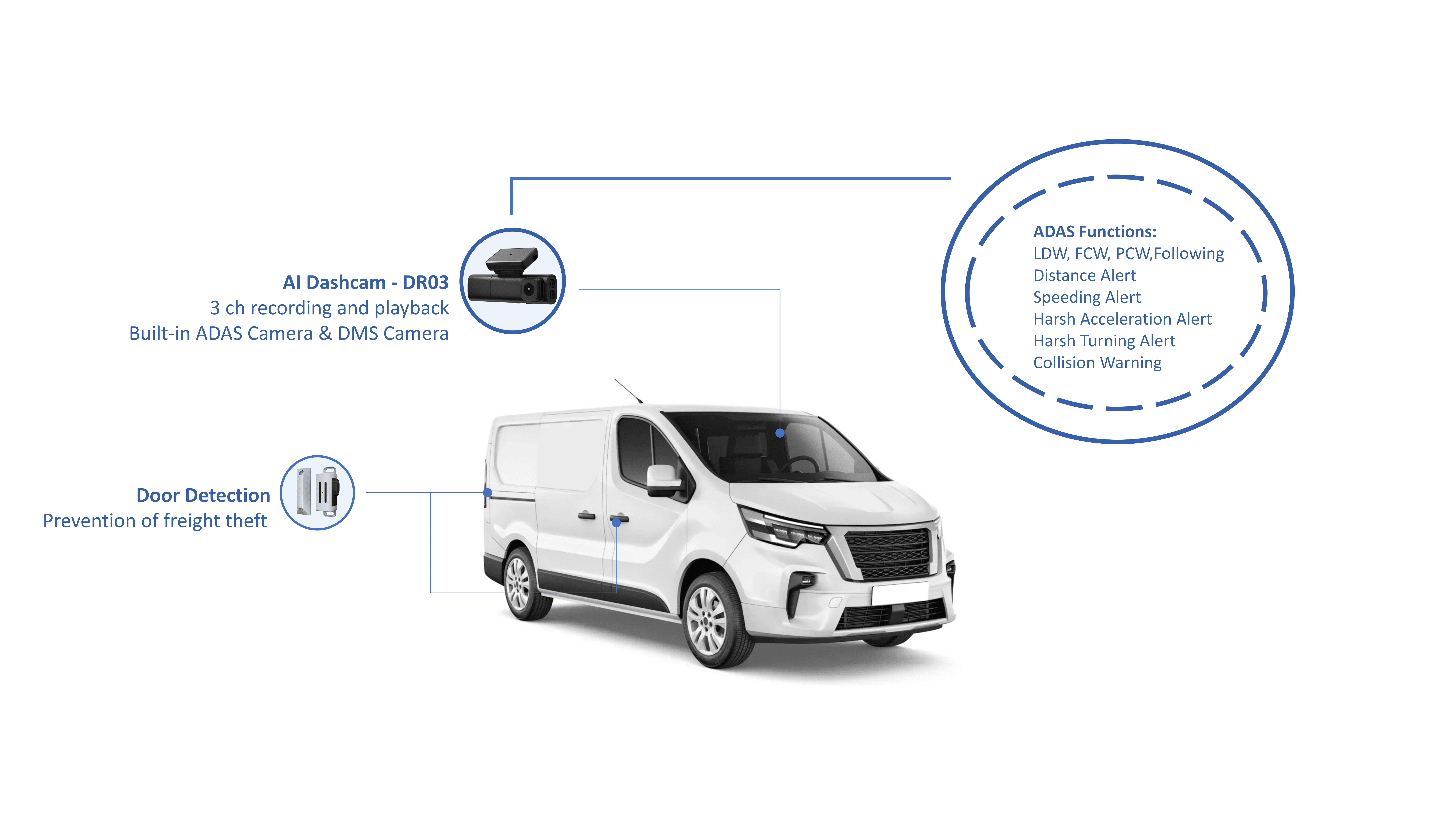
Three cameras cover three problem areas: forward-facing evidence, driver-facing behavior, and rear or cargo area context. That combo answers these questions quickly: who caused an incident, what the driver was doing, and what happened behind or inside the vehicle. You get clearer liability resolution, better coaching material, and less guesswork after incidents. For safety teams, that means faster root-cause fixes. For installers, that means planning for three mounts, three power runs, and one unified recorder.
How to pick the right 3-channel unit — checklist you can act on
Use this checklist when evaluating models. Score each item 1–5 and prioritize the highest-impact gaps for your fleet.- Video quality: 1080p minimum front, 720p acceptable for cabin/rear; low-light performance is non-negotiable.- Frame rate and compression: 30 fps for incident clarity; H.265 to save bandwidth and storage.- Recording triggers: continuous + event (G-sensor) + manual incident tagging.- Storage and upload: on-board circular storage with scheduled automatic offload via cellular or Wi‑Fi.- Tamper resistance: lockable DVR and secure mounts for high-risk sites.- Open APIs and protocol support so video metadata joins your telematics feed.
Installation tips that cut rework
Installers should plan like this: route power from a fused ignition-switched source for cleaner startup/shutdown behavior, mount the front camera centrally and high, aim the cabin camera to capture both driver face and hands without blocking mirrors, and place the rear camera where it gets a clear, unobstructed view of cargo or trailing traffic. Common mistakes: using accessory power that cycles when doors open, neglecting strain relief on cable runs, and skipping a post-install system test that includes a controlled bump to verify G-sensor events.
Data flow: what to collect, what to keep, and how to protect it
Capture video plus metadata (GPS, speed, heading, timestamp, event flags). Keep short retention for routine footage (e.g., 14–30 days) and extend retention only for incidents. Protect access with role-based permissions and encrypted transfer. For investigations, ensure chain-of-custody by exporting signed files or using cloud logs. Practical rule: automate as much of that chain as possible so investigators don’t rely on manual file handling.
Integrating dashcam feeds with fleet systems
Think event-first. Configure your dashcams to push clips when telematics show a sudden deceleration, harsh braking, or a geofence breach. That keeps bandwidth costs down and surfaces high-value clips for review. Integration options:- Direct API: dashcam vendor exposes clip endpoints and metadata for ingestion.- Cloud middleware: use a platform that normalizes video and telematics before your safety dashboard.- Manual export: fallback for small fleets but expensive operationally.
Common pitfalls and how to avoid them
Watch for these recurring issues and fix them early:- Over-recording without automated purging, which fills storage and stalls uploads.- Poor camera placement causing occlusion or glare; mock up placements before final mounting.- Ignoring firmware updates; they often fix stability and security issues.- Treating cameras as standalone — video without context (GPS, driver ID) is only half the story.
Quick vendor trade-offs
Two practical paths: purchase integrated solutions that bundle cameras, cloud, and telematics connectors (faster deployment, less custom work) or assemble best-of-breed components (more flexibility, higher integration effort). If you pick best-of-breed, verify SDK access and authentication workflows before buying hardware at scale.
Wrap-up — what to prioritize right now
Start by mapping the three core outcomes you need: clear incident evidence, behavior coaching, and operational context. Pick a camera platform that gives you reliable footage, manageable data flows, and open integration points. From there, standardize mounts and power sources across your fleet, enforce firmware and data policies, and measure return by reduced incident review time and improved driver coaching outcomes; teams that do this well integrate those video feeds into an operations stack—sometimes through partners like BSJ—so the cameras become part of predictable, actionable fleet data rather than just storage for problems.